
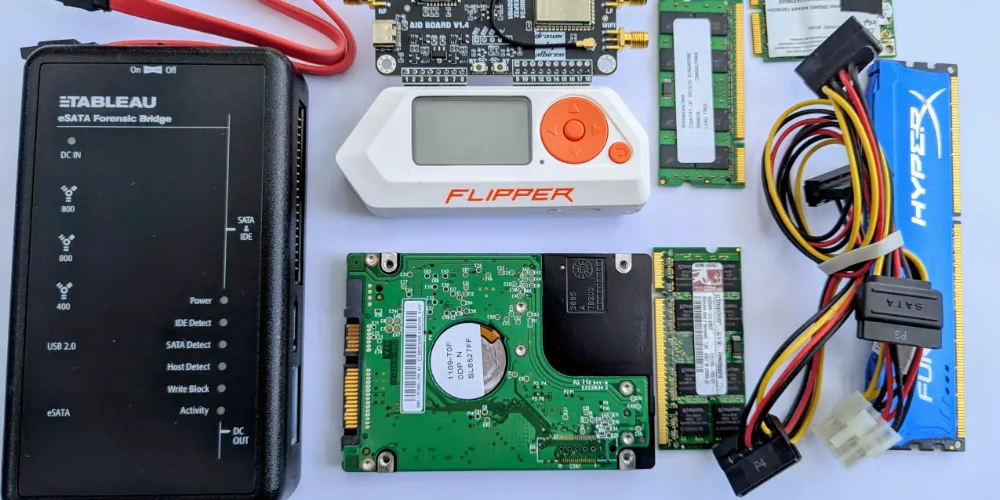
Evidence in digital form is ubiquitous. Only in the most basic of physical “street” crimes and simplest of cash transactions is there an absence of such evidence. It can be found most obviously in smartphones and computers owned by individuals and the transaction and activity records of organisations and businesses. Only slightly less obvious are communications records, financial records, logs created by industrial devices, logs created by access control devices and captures from CCTV. All of these, properly analysed and interpreted, can assist in legal proceedings by showing what events took place and when.
The aim of digital forensics is to produce for court use reliable evidence of events on a digital device or across a digital network. Often the events have to be traced across several different digital devices. The discipline follows the principles of forensic science so that all the methods used have been scientifically tested, usually independently of the immediate investigation. Preferably the results of the testing can be seen in peer-reviewed journals.
The results have to be legally admissible; there are many techniques of what could be broadly called examination and surveillance which would fail admissibility tests. Where evidence is given in court it is either on a purely factual technical basis or under the rules for expert witnesses where there will be a degree of interpretation and the provision of opinion based on experience and expertise.
In addition to locating and presenting such evidence digital evidence experts working for defence interests have an important role in testing exhibits and findings produced by others. The watchword here is that digital evidence exhibits do not spontaneously appear but are the result of a series of processes and procedures which have passed through several devices, application programs and networks.
In the UK digital forensics practitioners are expected to comply with the Code of Practice of the Forensic Science Regulator. Expert witnesses are expected to comply with the Criminal and Civil Procedure Rules.
The work of the digital evidence professional is not limited to cases which end up in court. An important part of the civil litigation process is disclosure, the process by which the parties are expected to identify any material which might potentially undermine their own case or support that of their counter-party. In the United States the process is called Discovery. In England and Wales it is covered by Civil Procedure Rule 31 and the associated Practice Directions. PD 31B covers disclosure of electronic documents. The problem here is the often massive volume of documents businesses accumulate out of which “relevant” documents must be identified. This calls for agreements on criteria and technologies for formats. Often AI type software is used.
Digital Devices
The most obvious digital devices include personal computers (PCs and laptops) and smartphones and tablets, external storage devices, and servers used to meet the needs of organisations to host internal facilities, websites and other services. What makes them so important as evidence sources is that they create, collect and store historic data essential to the daily functioning of an individual, a business or organisation. In the case of smartphones they are with their owners constantly recording their activities in minute detail.
But today organisations and individuals use storage and processing which take place not on locally held devices but on remote cloud services which are linked to locally held devices. A number of computer-like devices used for industrial, medical and scientific control purposes also potentially hold useful data (the Internet of Things, IoT). Growing areas of digital investigation include smart speakers, vehicular systems, drones, smart buildings and robots, and even smart TVs; useful data is to be found on all of these as well.
Main Issues
The main problems of using evidential data acquired from digital devices are:
- the very high volatility of the data such that it can easily be altered both inadvertently and deliberately and without obvious trace,
- the large volumes of data that are likely to be located even on the most modest of devices,
- the consequences of rapid changes in information technology and the applications that are used such that investigators and courts will frequently find themselves presented with novel situations for which standard forensic procedures do not immediately exist, and
- the problems of producing reliable interpretations and conclusions from data that has been acquired.
The raw material on a digital device will be electronic data; the exhibits that are produced in court are selections and representations of that raw data.
From Acquisition to Exhibit
The key to evaluating an item of computer-derived evidence is first, to understand its provenance – its point of origination – and second, continuity, the processes through which the original raw data has passed in order to generate the exhibit that is being placed before the court.
Computer-derived evidence does not appear spontaneously; we need to spell out the various stages which are:
- identification of potential evidence
- safe acquisition of evidence
- preservation of evidence
- initial analysis of evidence / basic data recovery
- (optionally) more advanced analysis of evidence
- (optionally) interpretations of evidence
- presentation of evidence in the form of reports, witness statements and oral examination in court
Evaluation of digital evidence is not possible without audit trails of the decisions and activities of technicians and investigators. It is a critical feature of forensic science that every process can be, and preferably has been, tested and validated.
ACPO Guidelines
These are the well-established ACPO Guidelines, dating from the late 1980s and named after the predecessor of the NPCC but also widely copied internationally and still valid:
- ACPO Principle 1:
That no action is taken that should change data held on a digital device including a computer or mobile phone that may subsequently be relied upon as evidence in court. - ACPO Principle 2:
Where a person finds it necessary to access original data held on a digital device that the person must be competent to do so and able to explain their actions and the implications of those actions on the digital evidence to a court. - ACPO Principle 3:
That a trail or record of all actions taken that have been applied to the digital evidence should be created and preserved. An independent third party forensic expert should be able to examine those processes and reach the same conclusion. - ACPO Principle 4:
That the individual in charge of the investigation has overall responsibility to ensure that these principles are followed.
Identification/Seizure
Although this first stage does not appear to be what is normally thought of as “forensics” the choice of what devices are examined may be crucial to the outcome of legal proceedings. There needs to be a legal basis for any “seizure” – either it is by law enforcement using powers under such legislation as the Police and Criminal Evidence Act, 1984 or with the consent of the owner. Anything else is a criminal offence under the Computer Misuse Act 1990.
The first step is to identify where useful potential evidence may be found. In some instances this may be completely obvious – a smart phone or PC strongly associated with an individual or organisation. But there may be other circumstances where what should be considered may not be obvious – in the cases of industrial and commercial processes, for example.
It is usually not possible to capture everything. Even modest homes may contain more than 7 digital devices upon which evidence might be found. In a large organisation there may be several tens of thousands of personal computers plus servers, internal telephone systems, access control systems and IoT devices and robots. What is seized depends on the nature of the investigation to take place. On the one hand there will be the desire to conserve costs but on the other the fear that in a litigation situation an opposing side may suggest that important elements have been missed. But there may also be considerations of privacy in the case of personally-used devices and also of commercial confidentiality and an organisation’s security. Decisions about what to capture and what to discard should ideally have been recorded complete with explanations and justifications.
Police guidance on searching digital devices is provided by the National Police Chief’s Council and refers to the need for Digital Processing Notices (DPNs).
Acquisition / Preservation
The aim is to collect as much of the data as possible on a device as the data existed at a precise time and, bearing in mind data volatility, without contamination. Investigations are carried out on the copy, not the original. There are a number of processes and procedures:
Physical forensic image, logical forensic image
The “gold standard” for digital devices is the forensic disk image. “Image” in this context means “exact copy” but the word is also used to refer to a graphics file. Historically the most commonly located devices were personal computers which contained hard disks.
The forensic procedure combines hardware, software and process. The hardware is a write-protect unit, which allows data to be read but denies and writing, inadvertent or deliberate, to the disk. The software collects data from all physical sectors on the disk, which means that recently deleted and normally hidden data is captured as well. There is useful data within files that are not normally visible to the regular computer user. They can include features of the operating system such as Microsoft Windows, Apple MacOS and Unix/Linux, but also configuration, log files, event files and the remnants of recently deleted files. This optimises the opportunities for recovery lost and deleted data.
Specialist software such as FTK Imager produces a report of what it has carried out which is useful as part of the overall audit trail. There are facilities for creating a file hash (digital signature) so that subsequent examiners can check that the image remains unaltered. Once completed the image can be saved, together with accompanying audit report and hash, to alternative storage including networks. Copies can be made for supply to opposing litigants.
Simple external storage devices such as USB thumb drives, USB disks and memory cards present few additional problems. Write-blocking hardware specifically for USB is required but otherwise the process is the same as for hard disks that have been removed from their original location.
There are many situations in which the gold standard cannot fully be reached. It may not be possible to open a laptop case or the disk (usually a SSD, solid state disk) is glued to the motherboard. The computer is asked to look for data in an attached USB device. The technician uses a specially-created USB thumb drive which contains a minimal operating system and the imaging software. Once started the imaging is able to proceed without starting up the computer’s usual system and so minimises contamination. The image is saved to another USB disk.
More specialist techniques are required for some solid state disks, such as those using NVMe hardware.
It is possible to collect data and sometimes whole images remotely, across a network or even across the public Internet. The need to acquire devices and their contents without immediate physical access is a function of how IT is developing in the direction of cloud-based services.
Partial captures
When a business or large organisation is thought to hold useful information not only will be unrealistic to seize every piece of hardware but selections will have to be made of which data archives are captured. Here some specific knowledge of the systems in place and their functionality is essential.
- Email – substantive archives plus email audit, compliance etc
- Retained documents – can use keywords or AI
- Designs
- Explanations, justifications
VMs, Containers
An increasingly important features of corporate and “big” computing systems is the deployment of Virtual Machines – VMs. These are apparent self-standing computers which run on larger computers. Uses include giving individuals their own “PC” accessible from anywhere with an Internet connections and managing complex processes which can be separated.
A related facility is the container. It is an item of software which packages code and related dependencies so that it can easily be moved from one hardware location to another and “run” almost immediately. The most popular implementation is called Docker.
Mobile and smart phones, tablets
Smartphones and tablets are very similar in internal design, the main difference being size and that some tablets lack the ability to deal with regular telephone voice calls.
The main problems are that there is no hard disk or equivalent which can be extracted, that for most purposes the device has to be powered up in order to perform any type of investigation or extraction and that, as we have already mentioned, a typical smart phone is constantly listening out for telecommunications, network and Bluetooth traffic which will alter the contents during the imaging process.
This last problem can be solved by means of a metallic enclosure referred to as a Faraday cage. The metal blocks signals from reaching the device. If a device is seized in a powered up state investigators will have to place it in a metallic envelope and preferably find ways to ensure that it is kept powered up until in the hands of a technician.
But the absence of the ability to remove a separate hard disk or equivalent is compounded by the fact that smart phones and tablets can only be accessed via the same single port that also provides power. On Android phones this is usually a version of a USB port, on older Apple iPhones there is a “lightening” connector; later models use USB “C”.
Extensive access is possible by putting the device into an engineering mode which involves the use of a number of key presses on particular menus. In Android this is called ADB – Android Debug Bridge. Even more extensive access is possible by using techniques referred to as “jailbreaking” or “rooting” (this latter term refers to the ability to reach the most fundamental feature of an operating system – its root). Complete physical acquisition may prove difficult; many acquisitions are partial, hence only a logical image is obtained.
A number of suppliers provide kits to enable technicians to carry out mobile and smart phone data acquisition. Most of them are designed to operate as “kiosks”.
Some smartphones and tablets turn out to be resistant to these techniques. Assuming the device can be powered up and that necessary passwords are available the technician has the option of filming/photographing him/herself conducting a manual examination of critical screens and producing the screen-shots as exhibits.
There are some more advanced methods for examining smartphones but they are hazardous in terms of producing reliable evidence. These involve physically opening the phone and attempting to extract data direct from the internal motherboard or removing key chips.
Similar techniques may also be necessary to acquire some of the contents of IoT (Internet of Things) devices such as vehicular systems and smart speakers which do not have regular physically visible in/out data ports such as USBs.
SIM cards
There are also techniques for extracting data from SIM cards. A SIM card is much more complex than a memory card such as the popular SD and micro-SD. It contains a microprocessor, program memory, working memory and data memory.
From a law enforcement perspective the critical features of a sim include the ICCID which uniquely identifies the card, the IMSI which is the International Mobile Subscriber Identity and uniquely identifies the subscriber within the mobile network. From these law enforcement are able to identify the issuer of the card and the mobile phone provider who will have details of traffic and possibly a subscriber.
In a non-law enforcement situation the main interests for investigators is the ability to save and store phone book entries and SMS text messages. Both of these are likely to be stored on the phone itself. There will also be some limited location information, based on the cellsites recently used.
Data Recovery: first stage analysis
An almost-automatic feature of acquisition of a digital device is carrying out simple data recovery. Operating systems such as Windows and MacOS use a number of techniques to deal with files that a user deletes, some of which are aimed at user recovery. These can be exploited by digital forensics techniques. One of the reasons for making forensic images of disks and other storage devices is to optimise the opportunity for recovery of deleted data.
The most obvious source of recoverable deleted files is the Recycle Bin in Windows which is fully visible to the regular user who can “restore” with a single click. The Bin is of finite size, the actual size being set when the operating system is first installed and is a function of the size of the main storage area. When the capacity is exceeded oldest files are removed in favour of newer ones. Similar arrangements exist in other operating systems.
Data recovery is still possible thereafter. It relies on the fact that file data within a physical disk sector is not immediately deleted; the sector is simply marked as deleted. It means that the sector is available for re-occupation but this may not happen for some time; the actual time depends on how full the disk is. During this period the disk storage can be interrogated by forensic software and the deleted file reconstructed though marked as “deleted”. This exercise is routine within most digital forensics analysis tools, considered in more detail below.
This process may also assist in recovering temporary files which are used while creating and editing with some applications but are deleted automatically when editing is complete. There are many examples but a well-known one is Microsoft Word which has a sophisticated “undo” facility to permit document correction.
Even where files have been partly deleted – some of the sectors containing them have been re-used – partial recovery may be possible by using a utility to search directly the contents of all the sectors on a disk using keywords (or combinations of characters). To be successful relatively unique keywords particular to the specific investigatory circumstances have to be identified. This is known as data carving. Further manual file reconstruction may be needed.
Restore Points
Within Microsoft Windows is another useful facility – the Restore Point. As the name implies its purpose is to help a regular user get their computer to a previous state after a crash. Restore Points must be set up by the user, their precise frequency being a matter of user choice. Depending on circumstances the creation of a Restore Point may be made just before there are to be major changes planned for the computer system. However it is possible for Windows to operate entirely without Restore Points.
Available Restore Points, sometimes over several iterations, will be captured in a forensic disk image. They may point to files that have been wholly deleted as well as earlier versions of extant files. There are similar features in the Apple MacOS Time Machine.
Backups
A critical feature of any digital forensic investigation is to attempt to locate back-ups. These can be back-ups of individual devices but also back-up of important corporate files such as emails and essential documents.
Windows Backup is a facility available in more recent versions; selected folders are saved to Microsoft’s cloud service. Restoration requires the user’s Microsoft account credentials. Apple MacOS’s Time Machine can be backed up to Apple’s iCloud. Smartphones and tablets, both Android and iPhone/iPad, are usually set up to create periodic back-ups
Many users prefer to use commercial back-up programs rather than the in-built Microsoft program which have more facilities to provide them with resilience. These are kept on external storage or saved to a network or to a cloud resource.
There are widely popular cloud-based storage systems which not only capture copies of important files and folders but also also automatically synchronise files on the user’s machine with what is held on the server. Usually too if the user has several devices and they are subscribed into the service, files created on one device will also get synchronised or made automatically available on the other devices. The remarks about incremental backups apply here also. Examples of services include DropBox, GoogleDrive, Apple iCloud and Microsoft OneDrive. There are also services aimed commercial professional users. See below for more on cloud-based services.
Windows Recall is another facility being introduced into post 2025 versions of Windows. When implemented Recall takes screenshots of the PC screen every five seconds when content changes. It then stores the snapshots locally on the PC and uses Artificial Intelligence to analyze them and extract information. It is obvious that this will present technicians with still further opportunities to check historic activities on a PC.
Analysis: second stage
Beyond simple data recovery and the search for back-ups and copies are more advanced techniques.
Investigations can vary considerably in terms of their depth. At the low end of the spectrum are situations where all that is required are files which themselves directly assist litigation and nothing further is needed. This can include copies of specifically identified files/documents and material where possession is a strict liability offence, such as child sexual abuse material or some terrorist manuals. In civil cases all that may be required is a single document or email. The technician will be able to use simple keyword search and use hash sets – both considered below.
In the majority of investigations the hope is to identify intent and courses of action on the part of an individual or group of individuals. If the allegations are of conspiracy, evidence of the formation of a common purpose. In many cases the technician may need to show linked sequences of events within a digital device to demonstrate that an offence or civil breach has occurred. Computer misuse, for example, may need to be proved by the existence and use of tools capable of hacking, perhaps Internet and social media research into particular targets, the discovery of files which can only have been obtained from a source to which the suspect is not authorised and perhaps by chat logs. There may also be logs and other evidence on the computers targeted and also telecommunications records. Similar connections may need to be established when investigating suspected frauds and regulatory breaches.
At the higher of the spectrum are situations which involve more complex reconstructions and where there are suspicions of data compromise and tampering. There are also situations where new forms of digital evidence prompted by changes in operating systems, the emergence of new or heavily revised programs/applications appear to be significant to a litigation and there are inadequate established procedures and tools.
All operating systems have a number of features which are normally only used by system administrators and yet others which are by-products of various internal functions but which turn out to have value to investigators and technicians. In Windows terms these include the Registry, the Master File Table, Volume Shadow Copy artefacts. In Windows 11 with the AI facility CoPilot, regular screenshots are taken. In addition many files contain meta-data – data about the file; this can include details of when and where the file originated and in the case of photos there may also be technical data about the camera used and, if originated on a mobile phone, geolocation data of where the photo was taken.
Simple reconstruction of events
Data interpretation also provides chronologies of activity on a computer, based on programs recorded as being used at particular times, emails sent and received, web-browsing and, among other things, the use of social networking and file-sharing services. Data interpretation requires great care and skill. It is all too easy for an analyst to make interpretations which turn out to be partially or even wholly wrong, or at least misleading.
Digital forensic technicians used specialist software to enable the discovery of these artefacts and some of them also provide facilities for specific tasks such as email analysis, photo alteration detection, social media analysis, chat log analysis, pattern recognition, Internet history analysis, reviews of operating system records, database parsing, event timeline analysis, and so on.
One particular type of software product carries out searches based on hash sets. A hash can be thought of as digital fingerprint and unique hashes can be created for individual files using a simple program. Libraries exist of hashes of known child sexual abuse material and for terrorist literature. An entire hard disk is scanned and each potentially interesting file is subject to hashing and then compared to the libraries. One advantage is that these hash searches require very little in the way of operator skill but may produce significant results.
Larger Scale Reconstructions
Whilst some form of reconstruction can be expected from basic digital forensics sometimes more sophisticated techniques are required. Careful use of data interpretation can provide the basis for making inferences about intentions, planning, motivations and predilections. It can also be used to stand-up, or refute, alibi claims.
Data interpretation can involve identifying substantive files but also saying how they came to be on a computer or memory device, when and by whose agency. It can also involve various forms of advanced data recovery of deleted material, but in these instances it is important not only that recovery takes place but that something can be said about the circumstances of deletion and also if there is any associated date-and-time from which inferences can be drawn. (Or in the alternative, if their absence means that certain assumptions should not be made). Careful examination of individual applications and apps may also reveal artefacts of activity from which conclusions may be drawn. This is particularly the case with some forms of web activity that can be found within web browsers.
Increasingly many activities move from one computer system to others or are copied from one computer system to others. Individuals may keep copies of files in remote storage such as DropBox, iCloud, Google Drive. Many businesses use cloud processing facilities – “virtual PCs” can be accessed from anywhere with an Internet connection – provided the user has the right username/password or other credential – and the remote computer may have much more power than any local machine. Cybercriminals often carry out their main activities on remote PCs.
Particular skills are required to trace these movements and do so accurately and carefully. A useful discipline for the investigator is to test their conclusions against possible alternative hypotheses – where the available material is reviewed to see if other explanations are possible. An opposing expert will do that anyway.
For these larger scale reconstructions the technician must also be an expert in the sense in which courts expect them to act. This includes having an over-riding duty to the court and not to whoever is paying and also providing detailed explanations for conclusions arrived at. In the UK there are requirements set out in the respective Civil and Criminal Procedure Rules.
Alternative Hypotheses
There comes a point at which the digital forensic investigator ceases to be a technician carrying out particular procedures but is using experience to provide explanations and, on occasion, opinions. The investigator must then conform to expectations of an Expert Witness. That means having an over-riding duty to the court and producing witness statements/reports which show clearly all the source material they have used, the steps they have taken, and the reasons for their conclusions. If appropriate their conclusions will include alternative hypotheses, the conclusion actually reached but considered against possible alternative explanations. In the Criminal Procedure Rules the expert must follow CrimPR19 and in particular CrimPR 19.4 which specifies the contents of an expert report. In the Civil Procedure the equivalent is CivPR 35.
Presentation
The final stage in device digital forensics is presentation – making findings available for consideration within legal proceedings. The original material will be data in electronic form and several processes will have been necessary to render it into human-readable format and so that its relevance can be added to the totality of evidence a court is being asked to evaluate.
Typical exhibits include:
- Documents, files, recovered photos, videos and other graphics
- Screenshots from programs, web-pages etc
- Chronologies and time-lines
- Link and relationship charts
In the criminal procedure arrangements exist for Streamlined Forensic Reporting (SFR). It is a procedure designed to reduce unnecessary costs and delays. An FSR1 report produces a summary outline and provisional conclusions of a forensic investigation with the aim of seeing if at an early stage an accused wishes to plead guilty. The defence expected to indicate in broad terms why an admission is not forthcoming. The maker of a FSR1 report usually does not give evidence. A more detailed and properly supported FSR2 report is then required and the author of that report is expected to give evidence if there is any contest from the defence.
Much may depend on the activities of defence experts in raising questions about the accuracy and completeness of tendered exhibits; some of their queries may result in requests for disclosure.
Advanced Topics
The following are issues which come up frequently in more complex investigations
Dates and Times
Critical to any reconstruction exercise is reliance on the dates and times that digital devices append to files and activities. Date/time stamps may also be important for testing alibi or absence of alibi evidence.
The first question to ask is “where is the timing information coming from?” and, closely associated with this: “can it be relied on?” The second question is: what events are actually being recorded – and how are they being recorded? The third question is: what time zone is being assumed?
Computer systems run by large organisations, financial institutions and the like have facilities to lock their “clocks” to standard “atomic” time. This is sometimes called Co-ordinated Universal Time or UTC. There are resources on the Internet called time servers which provides this data. Another source is GPS satellites. Mobile phones pick up date/time information from the world-wide GPS network. But for almost all other digital devices, the timing information comes from some local clock the setting of which is dependent on humans. In the case of personal computers, the time comes from an internal clock on the motherboard (the BIOS clock). This can be easily changed at will, often without leaving any obvious trace. The timing can sometimes slip even without deliberate intervention.
But files downloaded from the web and emails may bear date/time stamps taken from servers through they have passed and where the servers are locked to an external time source. Further opportunities for confusion may arise when coping with seasonal time changes – GMT to BST, for example and where there are connections to overseas devices where a local time zone is in operation.
Some operating systems and programs add date/time metadata to a file but here also there are opportunities for mis-interpretation. In Microsoft Office applications, for example:
File created – the date and time at which the file was first created on this medium (it may have been created earlier on another disk and transferred to this disk by means of floppy, USB solid state disk or via download)
Last written – the date and time at which the file was last changed. This can give rise to some apparent anomalies if a file was originated on one computer and then copied on to another. Thus: supposing I have on my computer a file I finished editing on 11 January 2023. If I now copy this file on to your computer on 24 November 2023, your computer will show for this file a “file created” date of 24 November 2023 but a “last written” date of 11 January 2023.
Last accessed – the date at which the file was last “touched” by an application on this computer but not altered. “Touched” may mean the same as “viewed but not altered” but a program such as Windows Explorer and some antivirus programs will “touch” the file to the extent that the last accessed date is altered even though the file has not been viewed by anyone. Earlier versions of the Windows operating system only record date, but not time.
Entry Modified column, pertinent to NTFS and Linux file-system files, refers to the pointer for the file-entry and the information that that pointer contains, such as the size of the file. If a file was changed but its size not altered, then the entry modified column would NOT change. However, if the file size has changed (from eight sectors to ten sectors, for example), then this column would change. The Entry Modified column is of relatively limited value when developing typical chronologies of events.
Computers find it difficult to store date/time information in the normal way – because there are uneven numbers of days in each month – they vary between 28 and 31 – and every four years there are leap years. The policy is therefore to store dates as the number of seconds since a start – or epoch – date. Unix starts at 1 January 1970, for example. 22 January 2016 13:40:33 converts to 1453470033. Apple in iOS and MacOS records from 1 January 2001.
The careful analyst checks and re-checks before coming to conclusions!
Encryption on digital devices
Increasingly digital devices feature various forms of encryption. It can be deployed on:
- Individual files
- Selected folders/directories
- Databases associated with particular applications
- Vaults – sections of storage areas
- Whole devices, including storage devices and whole PCs and smartphones
In addition encryption is often deployed to protect data while being transmitted.
There are two broad categories of encryption, symmetric and asymmetric. In symmetric encryption the encrypting and decryption passphrases are identical; it is sometimes called traditional encryption. The main use is where an individual wishes to protect a file or devices that only they will use or will only share to a very limited number of counter-parties. In asymmetric encryption different passphrases are used for encryption and decryption – the two passphrases are linked by complex mathematics. This type of encryption is used where there is a group – sometimes very large – of people who wish to share files and transactions. It is also known as public key cryptography and requires a public key infrastructure (PKI) which makes it possible for a user’s public key to be published so that there is confidence in the authorship of a message. PKIs are essential to Internet e-commerce activity and an also be used for digital signatures.
There are many legitimate uses of encryption; for organisations holding personal information there is an obligation under the Data Protection Act 2018 (replacing the 1998 Act) to use “appropriate technical or organisational measures” to keep personal data secure including when data is being processed. In most instances that will mean the use of encryption. In addition computer owners may have obligations under a professional code of conduct or under the terms of a contract.
The task of the digital forensics investigator is to identify what forms of encryption appear to be in place, which files, folders etc are encrypted and to see if the there has been any flaw in in the management of the encryption which will assist in reading the encrypted material. Example of flaws can include copies of encrypted material stored in clear and copies of passwords/passphrases required to decrypt.
In end-to-end encryption, widely used in messaging services, encryption and decryption only take place on the devices of sender and recipient so that the content of a message cannot be read while it is still in the course of transmission, including by ISPs and law enforcement. But the messages may still exist on the devices of sender and recipient, provided such devices can be seized or otherwise acquired.
Under Part III RIPA 2000 powers exist for a circuit judge to issue a notice requiring disclosure of the keys to encrypted data that has come into the possession of law enforcement in the interests of national security, for the purpose of preventing or detecting crime; or in the interests of the economic well-being of the United Kingdom. ss 49-51 and Schedule 2. There is a Code of Practice to address the circumstances in which a notice can be issued and the steps that must be taken: Investigation of Protected Electronic Information.
Memory Acquisition
In the earlier part of this feature the process of acquiring data from devices was explained. In general term if at all possible. the storage device had to be depowered and the re-started in a write-protect mode. As we saw there may be operational circumstances in which data has to be acquired from a live running device.
While a PC, smartphone or similar is running it is also possible for technicians to attempt to capture live running memory as well as stored data. Specialist tools such as Volatility, WinPmen, Memoryze and GRR exist for this purpose. The problem is how far these produce reliable evidence as opposed to intelligence.
The first problem is that they can only be executed on a running system and, as we have seen, data will be changing all the time and indeed will be affected by using the memory acquisition tool. Second, the volume of data acquired may be extensive. Third, the memory dump has somehow to be preserved before it can be analysed.
The types of data that can be retrieved include running processes, information about network connections, registry keys and configuration settings, executables and digital artefacts such as passwords, clipboard contents and commands being executed. Some of this information is useful when considering how malicious code in being run.
In practice the most immediately useful information may be passwords which can be used to unlock encrypted data or provide access to remote websites. But very little of this will end up as stand-alone formal evidence.
Emails can be critical to many disputes, as evidence of contracts, contract breaches and many other forms of understandings and agreements. But the emails themselves, whether they are authentic or whether a full sequence of events has been properly recorded, can also present problems for the courts. This section is about regular standard Internet email not any of the other messaging services that are available via social media and commercial proprietary software.
The main problem with producing purported single emails as reliable evidence is that the details and content of an email are trivially easy to alter or forge using a notepad type text editor. In addition the single email may be being quoted out of context.
A single email downloaded from within an email client program may have the extension .eml. An .eml file often contains the following pieces of information:
- Content of an email message
- Subject line
- Sender information
- Recipient information
- Date of the message
- Attachments, such as images or document files
- Hyperlinks
There are other similar formats in which individual emails may be produced – msg and winmail.dat. Programs are available to enable these to be read even if the original email program is not already on the PC. But by themselves these single messages lack proper provenance.
Email programs hold individual emails in databases, not as single items. This is an important feature. Holding them in databases makes it much easier to offer the user search facilities, for example by sender, date/time, subject, content and to view all emails that meet specific criteria. This is useful to the forensic investigator as when a whole database is acquired there will be confidence that all the available emails are potentially available and it is much more difficult to alter the content of individual emails. The databases will include emails received and sent but often also include address books (contacts) frequent correspondents and may also include calendars.
Locating the folders containing the email databases is a primary task of the digital investigator.
There are three ways by which emails can be received and sent by users and they all affect where emails may be stored on a digital device.
- Webmail – Under webmail the user visits a website, provides their username/password and then has access, on the remote website, to emails received and sent plus the ability to originate emails. Obvious public examples in include GMail, Microsoft Outlook, Yahoo Mail, Proton Mail. But many other Internet companies also offer webmail. In its purest form emails via webmail are not stored on a user’s digital device but on the remote website. But there will probably be evidence of their use in the history associated with the Internet browser. Some emails may be briefly captured and users may have decided to download copies
- POP3 (Post Office Protocol) – Emails are accessed via an email client program installed on the device. Examples include Thunderbird, Microsoft Outlook (a different product from the webmail service), Apple Mail, Mailbird, Claws Mail and FairEmail. Emails received and sent are stored on the device unless deleted by the user. They are not stored anywhere else unless the user has instituted a deliberate back-up routine. Under Microsoft Outlook (the email program available as part of Microsoft Office) the database has an extension .pst.(Personal Storage Table). In MacOS the folder is normally hidden and the files are called mbox.
- IMAP – The emails are stored on a server, and not necessarily on the device. The server may be semi-local within an office and may use Microsoft Exchange or may be in the cloud. The benefit of IMAP over POP3 is that emails can be accessed via several devices that a person might use and from any location. However from an investigator’s perspective the emails are not on a device which can be examined. But a user may have decided to copy some or all emails to their main device. In the Microsoft world the emails are stored in a folder called .ost (Offline Storage Table). Investigators would need to find the location of the OST file and then acquire it.
- Many Internet Service Providers offer multiple ways for their customers to access emails – web-based, POP3 and IMAP.
Organisations aware of their obligations to retain documents and also concerned about their ability to withstand disputes deploy email archiving programs. These are usually separate from the email programs themselves and are aimed at collecting all email activity inward, outbound and internal. Often storage is on a cloud service. Examples include Mimecast, Dropsuite, CryoServer, Barracuda Message Archiver and Mailstore Home. In terms of authenticating emails and testing for completeness of activity these are a better bet than simply creating back-ups of client program databases as these will not track emails that have been received but then deleted.
There is another feature of email traffic that can be used to test the provenance and reliability of individual messages – the header. As an email moves across the Internet from its point of origin to its eventual destination information is generated and collected. The headers can be analysed for anomalies.
Among other things the header includes metadata which can point to the possibility that individual emails have been deleted or forged.
Social Media / Chat Logs
By October 2023 it was estimated that 4.95 million people world wide out of a total population of approximately 8 billion used social media with an average social media user engaging with over 6 social media platforms. Facebook had over 3 billion monthly active users, YouTube 2.5 billion, WhatsApp 2 billion, WeChat 1.33 billion and Twitter over 400 million. Slack had 33 million daily active users, Discord had 196 million monthly active users. LinkedIn claimed 1 billion users, TikTok 1.6 billion active users, 23 million of them in the UK, Telegram had approximately 700 million users per month, Signal had 40 million monthly users. 37.6% of all Internet users use social media for work purposes.
Each social media platform has different facilities and characteristics and appeals to different demographic segments. Some are designed primarily for consumers to interact and to share common interests, some are about circulating amusing video clips, others help support organisations and groups, some are to enable private, secure conversations. Many social media platforms offer several different services – one-on-one messaging, group messaging, public posting.
With those statistics it is not surprising that litigants and others will want to seek to produce evidence from social media. There are four main evaluative problems:
- Capturing traffic reliably
- Attributing traffic to identifiable individuals
- The informality of the medium which lack of certainty that complete conversations are collected
- The informality of the language used by participants – there are many different “slanguages” between hackers, narcotics traffickers, financial dealers, political workers, and so on
By and large social media records are stored on users’ devices in databases but there is no common standard. In some instances the databases may be encrypted; in others the databases may be principally in the cloud and only partially on a user’s own devices. There may be several separate databases for individual social network platforms: there are at least three for WhatsApp. Facebook seems to create separate databases for its Messenger service and for the other postings.
Public postings can be obtained by means of screen-scraping – the investigator goes online, views the public postings of people of interest and then captures the contents of the screens. Specialist software can automate this process. But most social media services also provide their users with facilities to run small confidential groups access to which is granted by the person who set up the group. Many of these, but not all, are non-sinister and cover hobbies, local neighbourhoods and other topics. Under normal circumstances only group members can screen-scrape.
If a device of interest has been seized or acquired several of the major digital forensic analysis suites have routines for identifying the popular social media streams on smartphones and PCs that they are examining.
Internet Cache/History
One of the features of all Internet browsers – Chrome, Edge, Firefox, Safari, Opera and others – is collecting and saving web pages just visited. The main reason is that users frequently want to revisit pages, particularly if they contain links to other pages on the same site. Pages pulled from the cache as opposed to getting them all over again from their original site are faster to appear and also have the benefit that less traffic is sent over the Internet and fewer demands are made of the website. The generic name for the place where these pages are stored is the cache. The cache collects the pages together with any embedded code and also collects any cookies.
Recently caches pages can usually be viewed by the browser user by using an “internet history” or similar in a menu.
The cache can be of considerable value to the digital forensic technician/investigator.
For serious investigations of browser caches some technicians favour specialist programs. They can recover some deleted browser artefacts and carry out filtering and searching. A most useful feature is the ability to reconstruct webpages from the cache.
Event logs, Registry
Also available to investigators are a number of semi-hidden non-obvious features of operating systems that can be used by investigators as cross-checks when attempting to reconstruct events.
Operating system create extensive logs of “events” that occur on devices, changes to the installation, system crashes, etc. They may also indicate if the device has suffered from untoward activity. In the Windows world there is the Event Viewer.
In Windows machines configuration details including installation of software and peripheral hardware such as USB sticks are recorded in the System Registry. The ordinary user can see many aspects of the Registry by using the regedit command though casual use is not recommended as there is a danger that the whole Windows system becomes corrupt or unstable.
Servers
A server is simply a computer that provides services to other computers and digital devices. They come in all sizes from an office PC to a large warehouse full of racks. The smaller ones are used to service the needs of small organizations and larger ones provide the infrastructure for cloud services. A web-server hosts a web-site and may be linked to another server which contains a database used to feed the web-pages.
The most common form found in offices and other small organisations is a PC running a program called Microsoft Exchange Server. It can be set up in a number of ways to include local and external email and local storage. In larger organizations there may be several Exchange servers set up in a cluster so that they can update each other.
But there are now many alternatives for organisations; the sophisticated NAS can provide many similar features, many of the functions can be provided via cloud services so that there is no need for an on-site server, products like Slack and Microsoft’s own SharePoint can be used for collaborative work.
The big decision for a technical/investigator is what, and how much, to attempt to acquire.
Some servers are labelled Network Attached Storage (NAS) devices, which have more limited powers. At one level they appear as an external hard disk which is accessible via a local area network including home and small office networks rather than via a USB connection. But many also have similar facilities to larger servers.
Internet of Things (IoT) devices
Originally what was connected to a network were fully featured computers or simple storage devices but by the early 2000s engineers and designers realised it would be useful to introduce devices which recorded and measured activities but were connected to a local network or the Internet so that information they gathered could be fed direct into computer programs which in turn could react to them. Before that if a business wished to keep track of its industrial processes there had to be a complex arrangement of dedicated wires reporting to a control panel. By having networked sensors and actuators computer control became much easier.
Implementations include SCADA (Supervisor Control and Data) devices for remote control of industrial equipment and MEMS (Micro-ElectroMechanical Systems). They can be used in “smart” buildings, to monitor the water, gas and electricity supplies. in medicine, in agriculture and in robot-run manufacturing lines.
Data created by these devices may be held in the form of log files to be found on the computers which control them but also on the devices themselves. However, accessing these may required highly specialised facilities.
A particular class of IoT is vehicular forensics. The main categories of vehicular systems activity include:
- Engine management to optimise fuel consumption
- Driver assistance / crash alert
- Vehicle health including brakes and tyre pressure
- Airbag control modules
- Infotainment
- GPS / travel guidance
- Bluetooth / phone connection, including phone numbers and IMEIs
Data may be created and held in memory chips and eSD cards (which behave like SD memory cards but are permanent). Some data extraction may be possible via the vehicle’s CAN (controller area network) and which in turn is accessible via a port many vehicles have adjacent to the fuses. The CAN port is used by garages to carry out various diagnostic tests during servicing (OBD). But other data extraction may require that chips are directly accessed.
Depending on circumstances an investigator may be able to obtain journey information via a GPS system, discover frequent locations, spot hard acceleration and braking events, phone call logs, crash data.
Many of these data items will be important after a road traffic accident but some may be useful in demonstrating alibi or absence of alibi evidence and if a vehicle has been used to transport illegal goods such as narcotics and firearms.
Vehicular systems forensics requires significant levels of specialist skill, not only in terms of data extraction but in subsequent interpretation. Not the least of the problems is identifying reliable time/date information. Some date/time information may come from external sources such as GPS or mobile phone connections but others may have been set by the vehicle’s owner or garage mechanic.
In any litigation it will be important for a judge to receive descriptions of what may be quite complex systems together with the ability to assess where responsibility lies.
Remote Acquisition
Forensic imaging as described earlier assumed that the technician had physical access to the device being imaged. It is possible to acquire an image remotely across a network including across the Internet. However any form of remote access is potentially a breach of s 1 Computer Misuse Act 1990 unless there is consent or specific legal grounds.
Such imaging is not “gold standard” but may be good enough for many purposes. There are three problems: the imaging is taking place on a remote device which is running so that data may be being altered while the imaging is taking place. Second in order to facilitate the remote access a small piece of code, a “back door” has to be installed on the device or has to be already in place. The purpose of the back-door code is to respond to commands being sent from the technician’s computer. The code is very similar to well-known pieces of malware called Trojans. For forensic purposes they are sometimes referred to as agents, implants or servlets. Third, there may be network delays and corruption. There is perhaps a fourth, sometimes operationally it is desirable for the acquisition to be carried out while the user of the device remains unaware.
Within an organisation a system administrator may place servlets on all the PCs and devices for which he is responsible, consent being implied from a contract of employment. In a law enforcement situation an Equipment Interference warrant would be needed under Part 5 Investigatory Powers Act 2016.
Forgery and AI Detection
At not uncommon requirement is to deal with situations where it is alleged that a document, photograph or other file has been altered or fraudulently manufactured. The difficulties are likely to increase as more people realise the potential of generative AI. Investigators have to deploy a variety of techniques, often looking for inconsistencies:
- Provenance Check involves seeing how far one can determine how a file, photo, video etc came into existence. What is known about its source? Should it have emerged from a broader context which itself can be examined? Single, spontaneously-appearing files are less convincing than those for which provenance can be fully tested
- Time/date stamps created by the operating system need to be consistent with what the document/file purports to claim
- Backups – a search of back-up systems may reveal earlier versions of the document/file
- Using file recovery techniques may find earlier versions of the document/file which have been deleted, or possibly file fragments
- Metadata is to be found in many documents/files which help reconstruct their history and development – these to be consistent with what the document/file purports to claim
- Email headers can be interpreted to say how an email originated and the path it took to reach the intended recipient – there are often helpful dates
- Internet cache – Browsers such as Chrome, Safari, Firefox, Edge, collect a great deal of information about the sites visited by a device’s owner, much more than is shown by a “history” menu item. The caches can be interpreted to show the activity and intentions of an individual
- Photo manipulation can be shown using a variety of techniques. The simplest is visual inspection to look for anomalies of image and lighting. Software tools can be deployed to look for cloned areas, where something has been deleted or altered by over-copying an existing element in the photo. Other tools can examine a photo for anomalous noise and levels. Areas of photographs can be subjected to high levels of magnification so that individual pixels become visible – the investigator then looks at the edges of objects to spot anomalies. Many photos when created also include embedded metadata known as EXIF – this too can be viewed to look for anomalies. Some companies are offering online services – a suspected photo can be uploaded and a range of tools are used at the remote site to produce a “result”.
- Video forgery detection presents issues similar to those of still photo manipulation. An additional test is to look at successive frames in a video to check for inconsistencies. At the time of writing there have been several attempts by academics to produce AI tools to detect AI video forgery by combining a number of different techniques into a single tool.